Benefits of WooCommerce Integration
Smart 24/7 Support
AI assistant that responds to your customers anytime without downtime
Product Search
Searches your product catalog and recommends the right products to customers
Order Tracking
Customers can track their orders directly through the chat
Seamless Integration
Simple WordPress plugin that works with any theme without conflicts
Requirements
- WordPress website with WooCommerce plugin activated
- Account on Thikaa platform with an active subscription
- Admin access to WordPress dashboard (to install the plugin)
Integration Steps
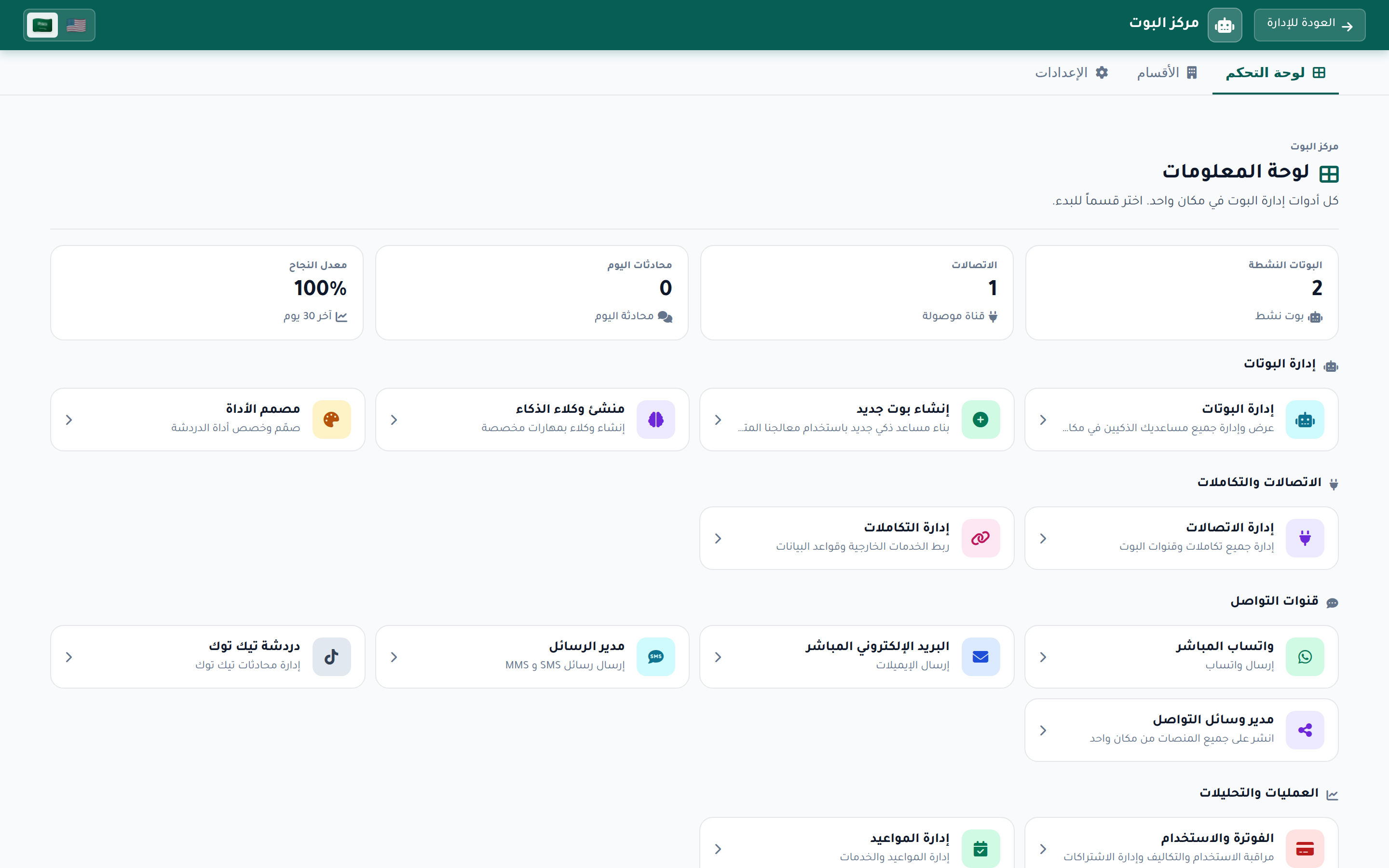
Open Bot Hub
From the Thikaa admin dashboard, click "Bot Hub" in the sidebar. You will see a page showing bot statistics and management buttons.
Open Integration Center
Click on "Integrations" to enter the Integration Center. You will see a page displaying all available integrations with connection statistics.
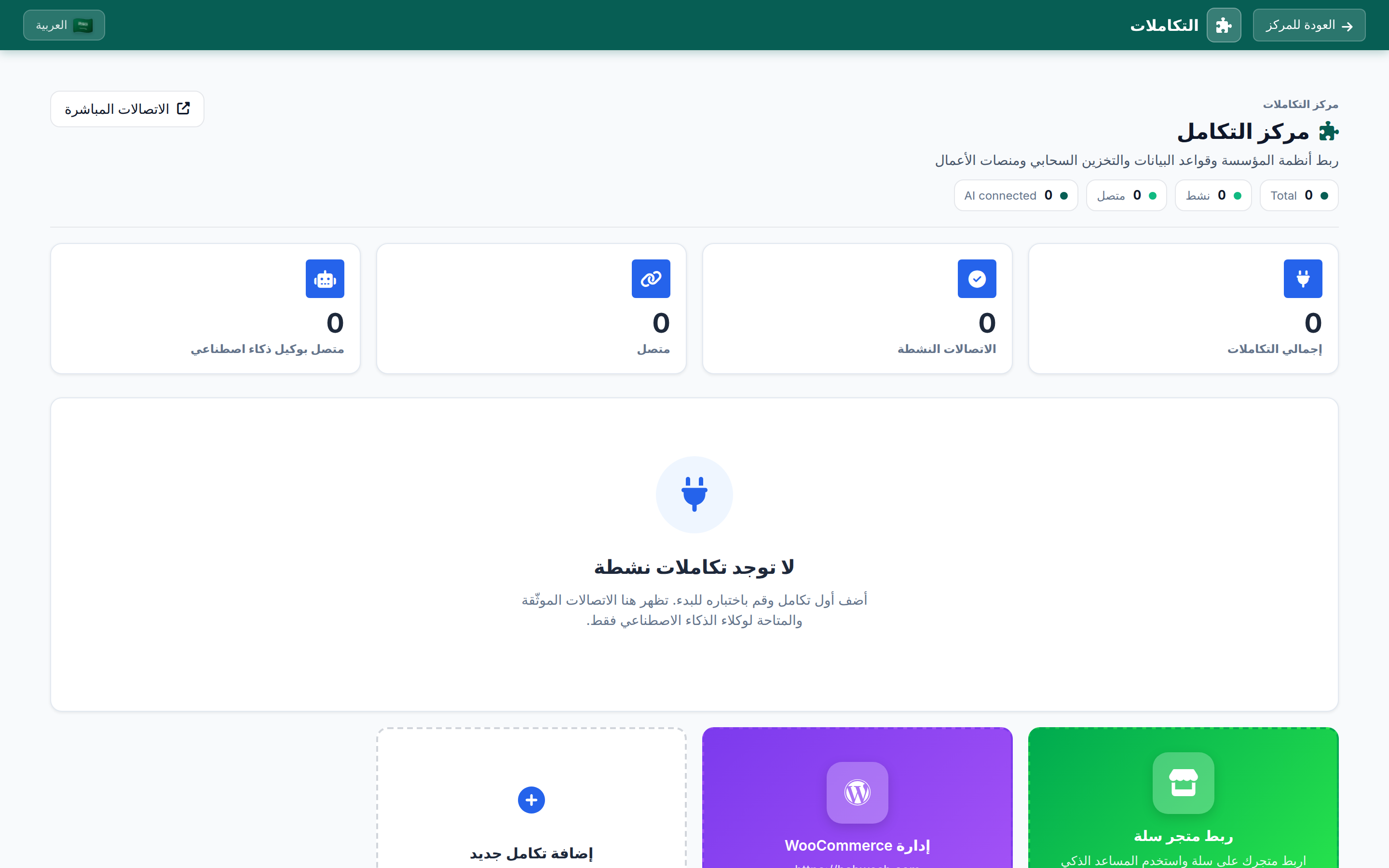
Open WooCommerce Connection Page
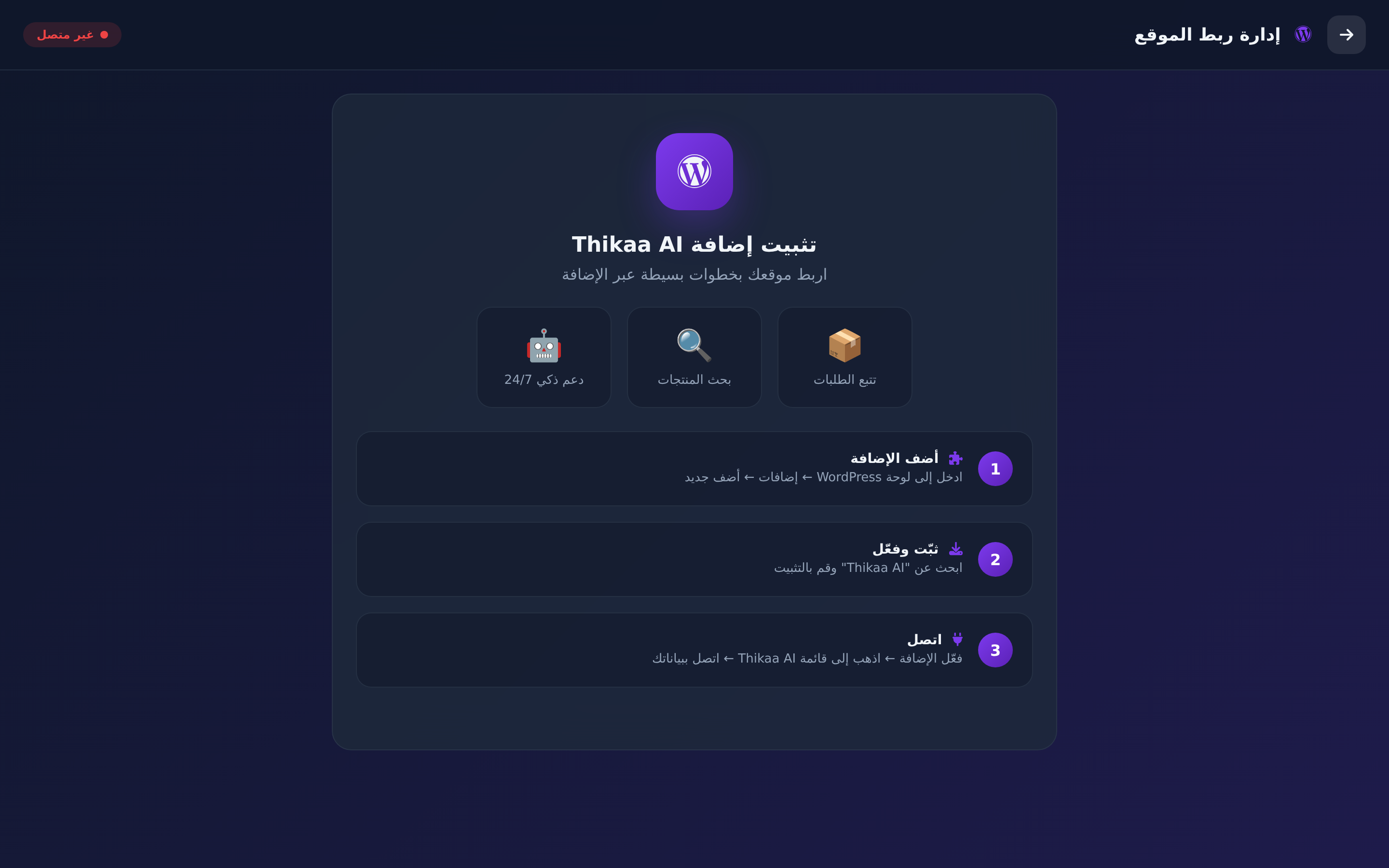
Click on the purple WordPress card. The "Website Connection Management" page will open, showing connection status and 3 simple steps to install the plugin.
Install Thikaa AI Plugin - Connect your site in simple steps via the plugin
Add the Plugin
Go to your WordPress dashboard → Plugins → Add New
Install & Activate
Search for "Thikaa AI" and install, then activate
Connect
Activate the plugin → go to the Thikaa AI menu in WordPress → connect with your credentials
Configure Store Features
After the connection completes, the page switches automatically and shows the connected settings panel. From here you control what the bot can do on your store.

Customize Widget (Optional)
Go back to Bot Hub and click "Widget Designer" to customize the widget appearance on your site.

Features Available After Integration
Frequently Asked Questions
Does it work with any WooCommerce theme?
Yes, the Thikaa AI plugin works with all WooCommerce themes without any conflicts.
Does it affect site speed?
No, the widget loads asynchronously (async) so it does not affect your site page loading speed.
Do I need to add code manually?
No, the Thikaa AI plugin handles everything automatically. Just install the plugin from WordPress dashboard and connect your account.
Does it support RTL and Arabic?
Yes, it fully supports Arabic in all its dialects and all RTL languages.
Where do I find the WooCommerce connection page in the platform?
From the dashboard: Bot Hub → Integrations → click on the purple WordPress card.
Ready to Start?
Log in and install the Thikaa AI plugin on WordPress