
Watch the Video Guide
Before You Start
Active account on Thikaa platform
Basic information about your business
Setup Steps
1
Go to Bot Hub
After logging in, go to "Bot Hub" from the sidebar and click "Create New Bot"
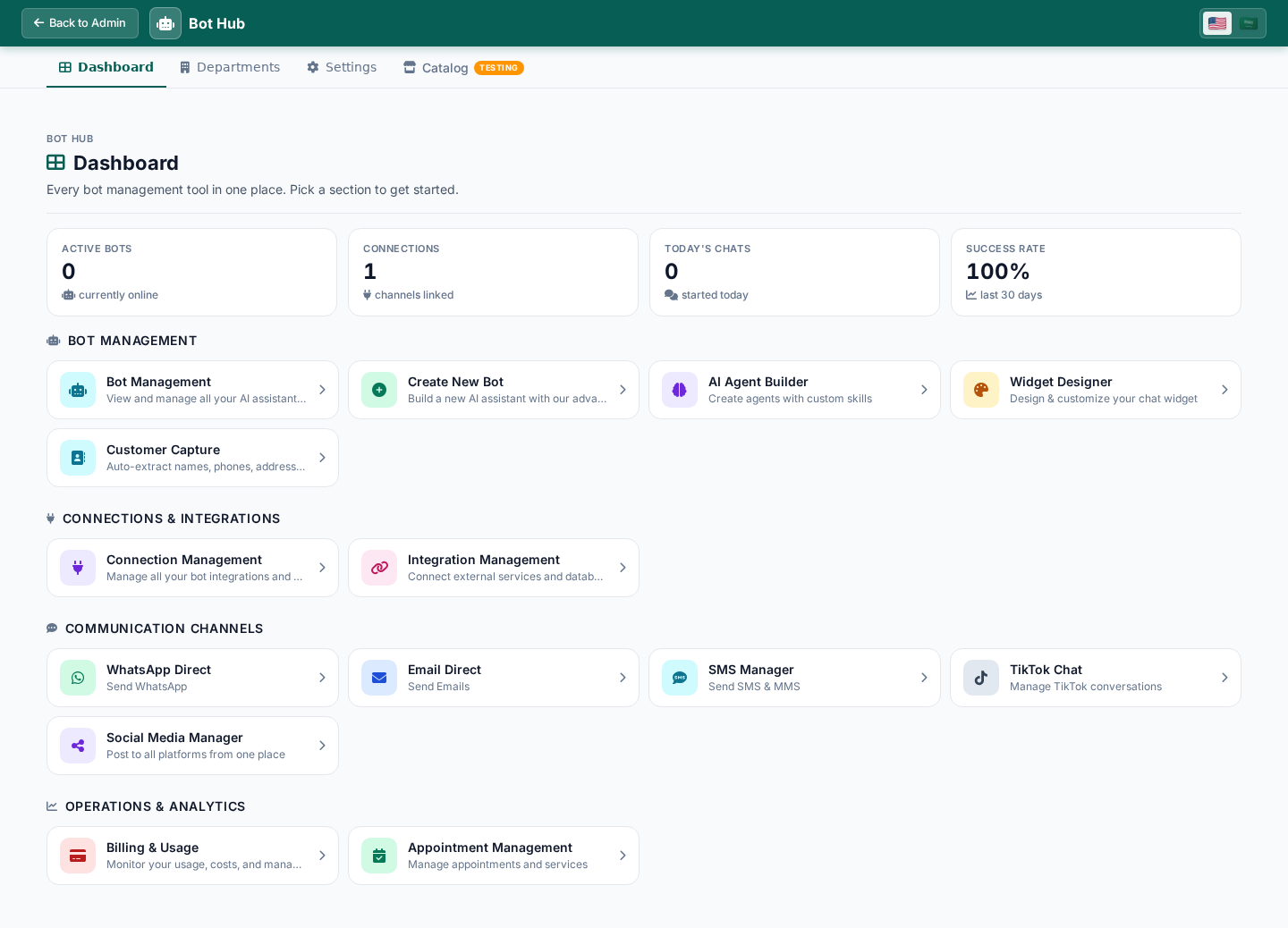
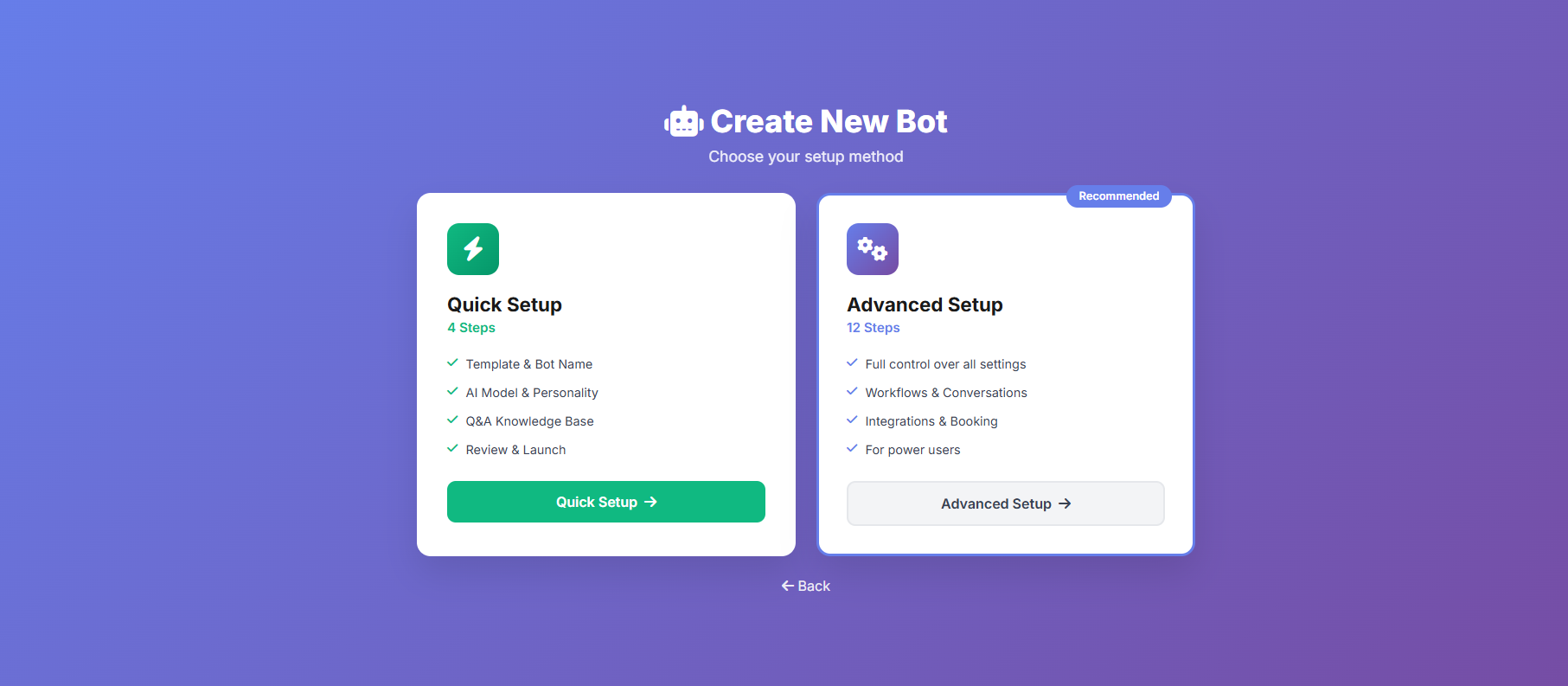
You'll find the "Create New Bot" button at the top of the page
2
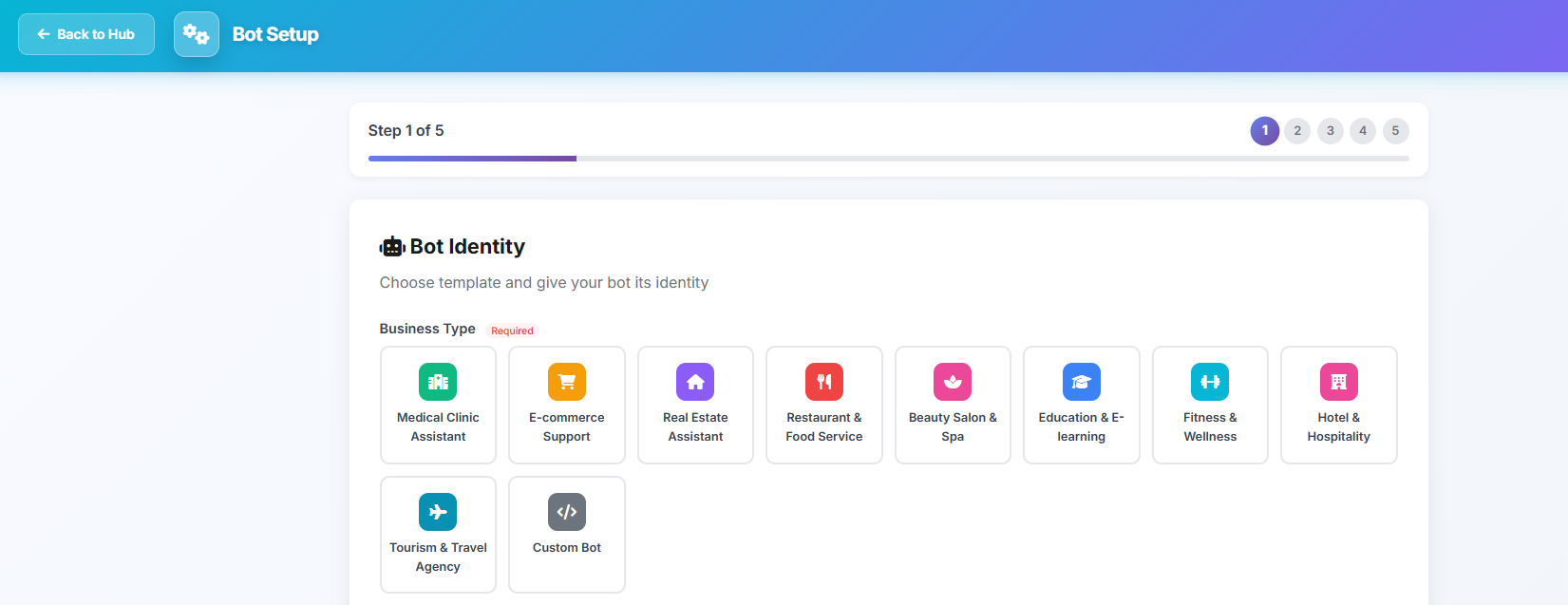
Enter Basic Information
Enter the following information to create your bot:
Bot name (e.g., Ahmed Store Assistant)
Brief description of the bot and your business
Primary language (Arabic or English)
Business type (e-commerce, services, restaurant, etc.)
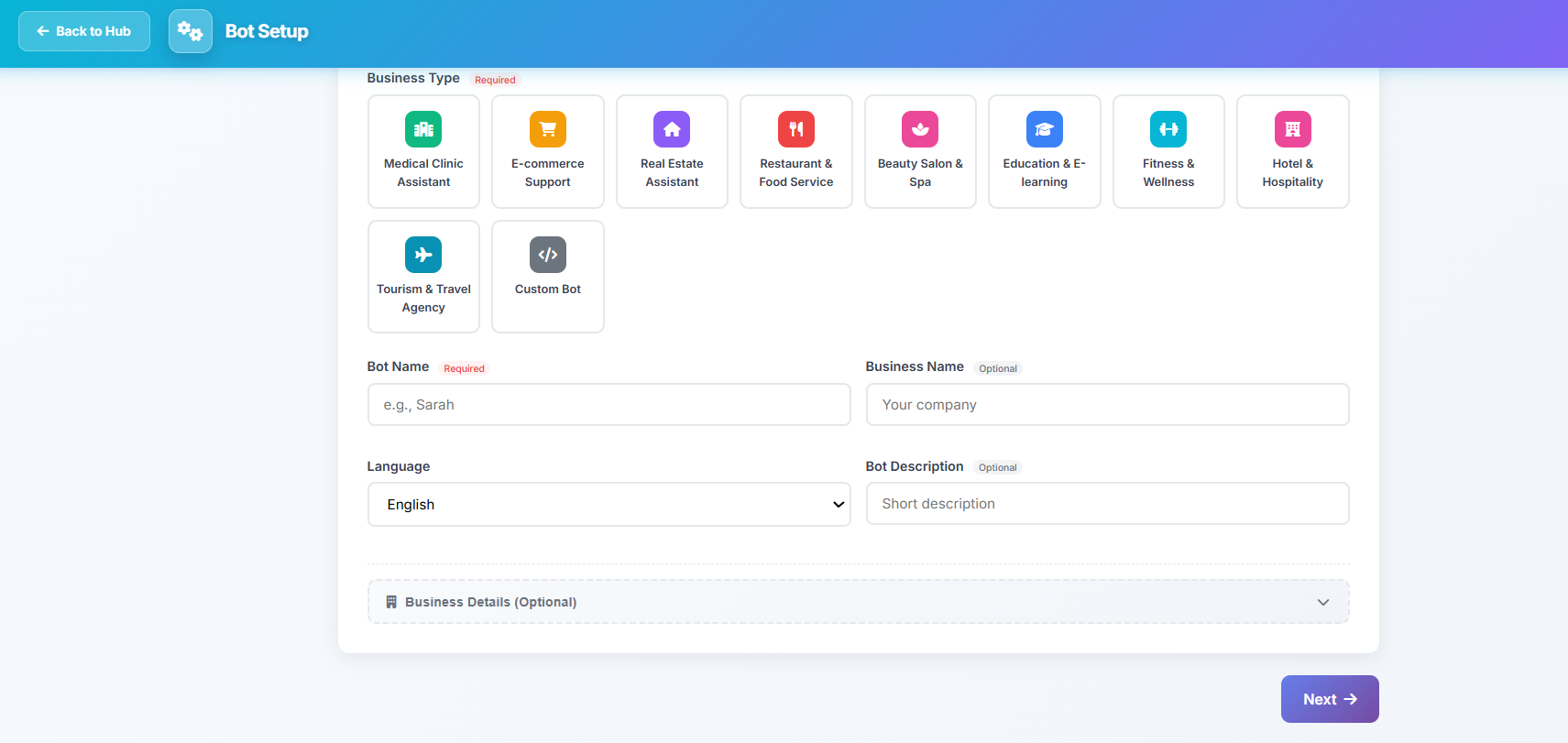
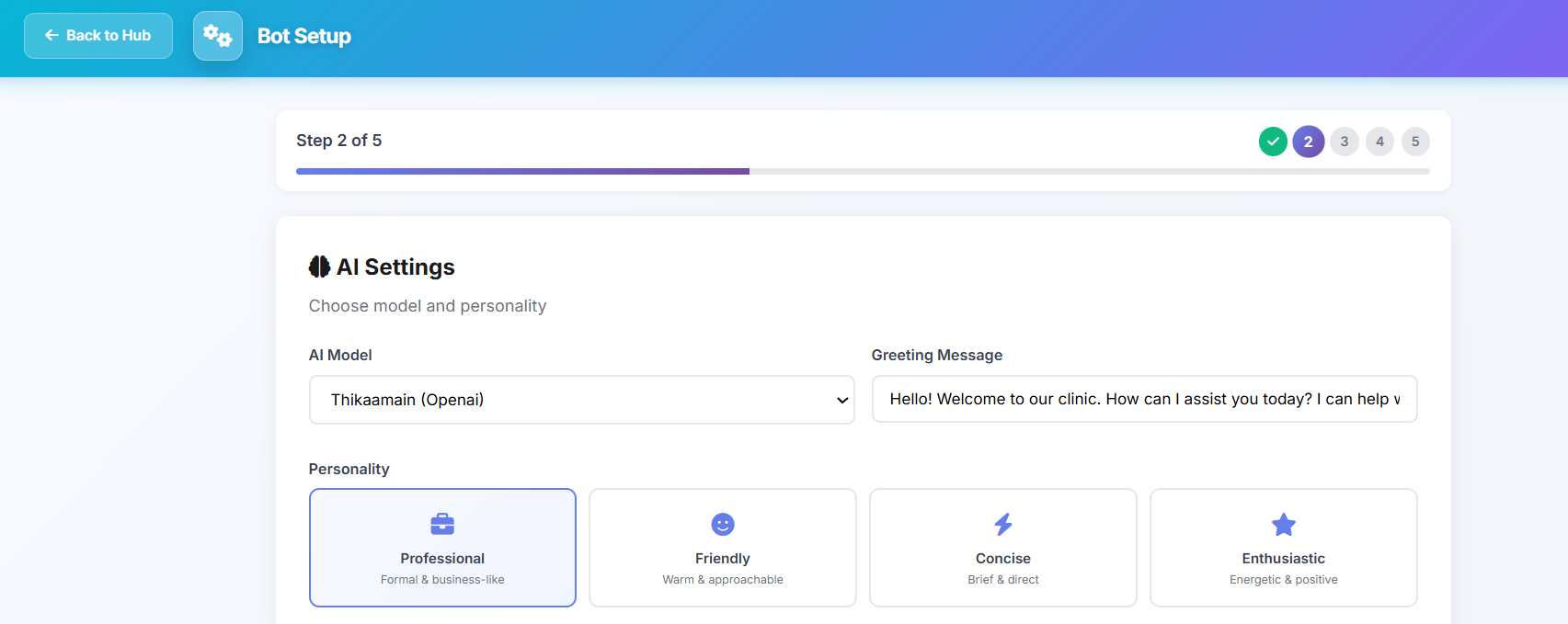
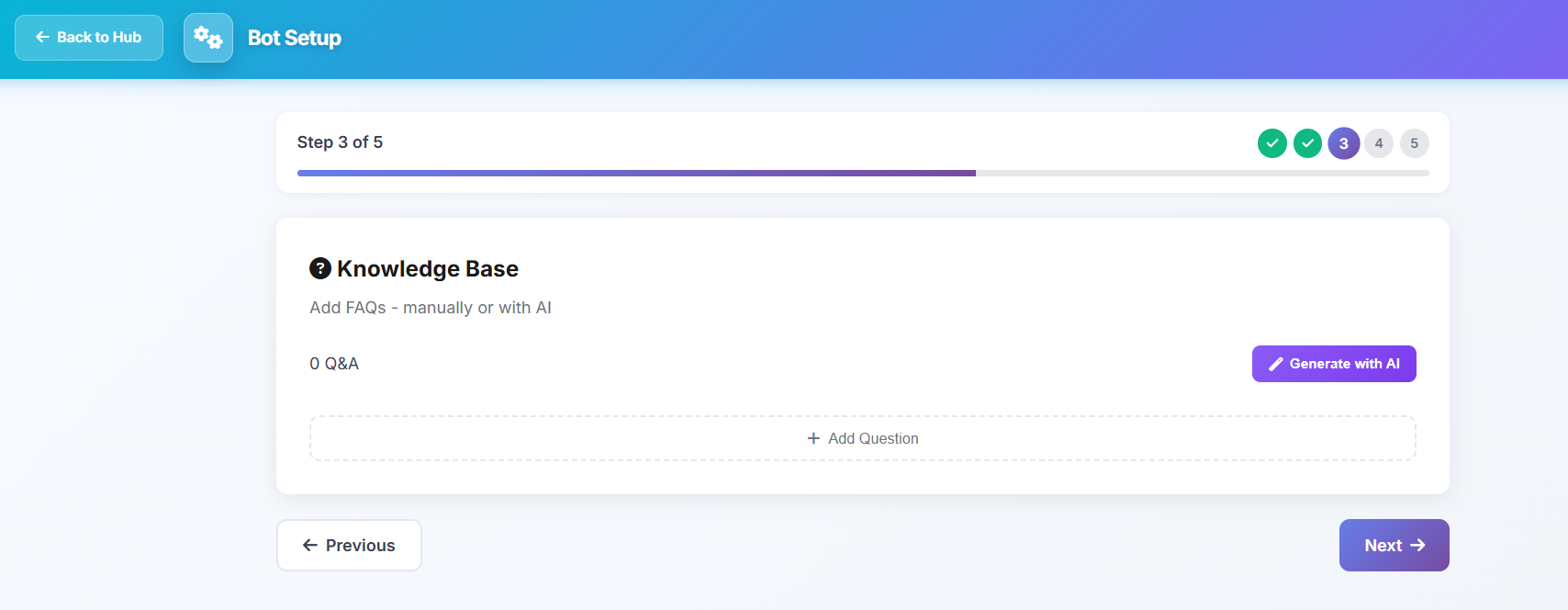
The clearer your description, the better the bot responses
3
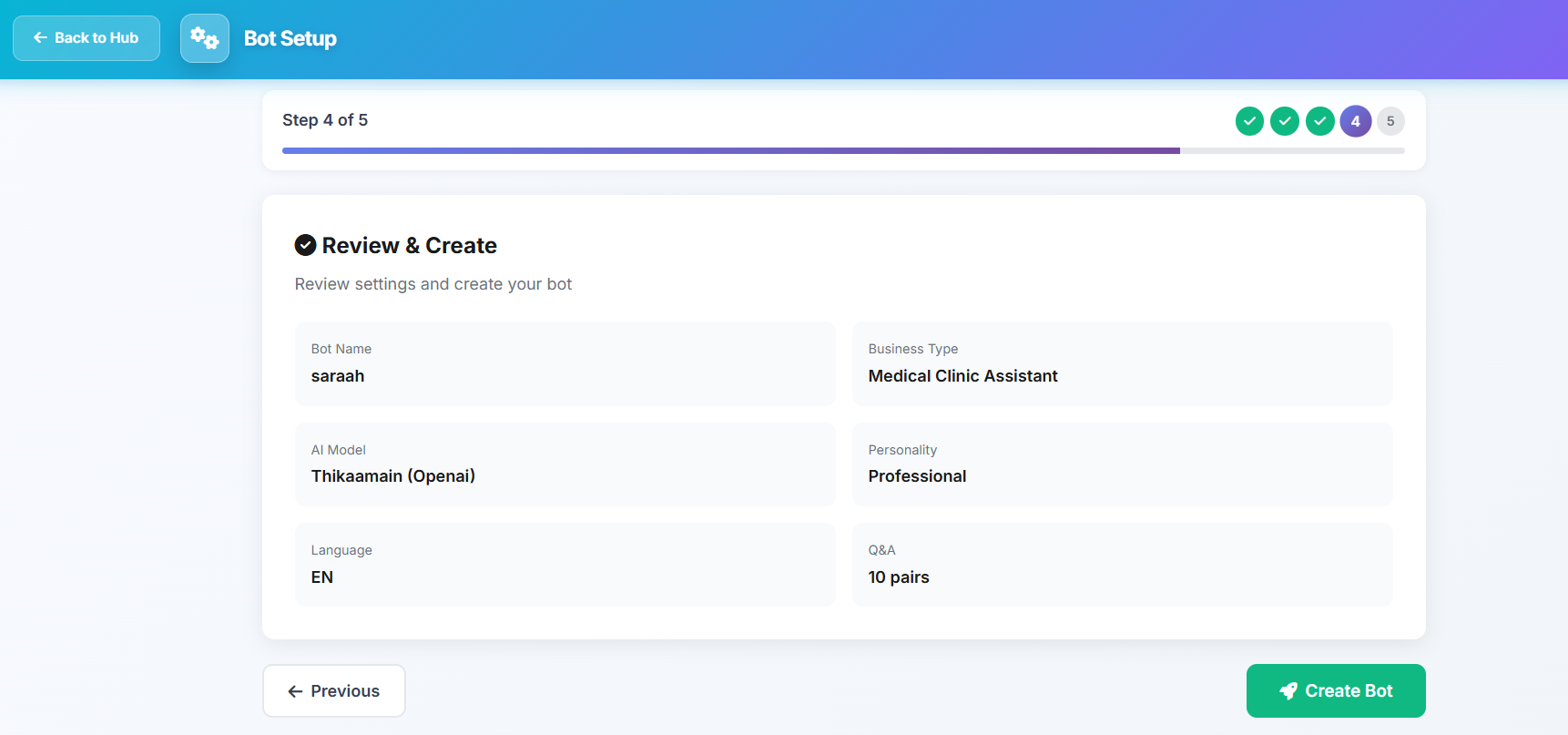
Activate the Bot
After entering the information, click "Create Bot" and it will be activated automatically
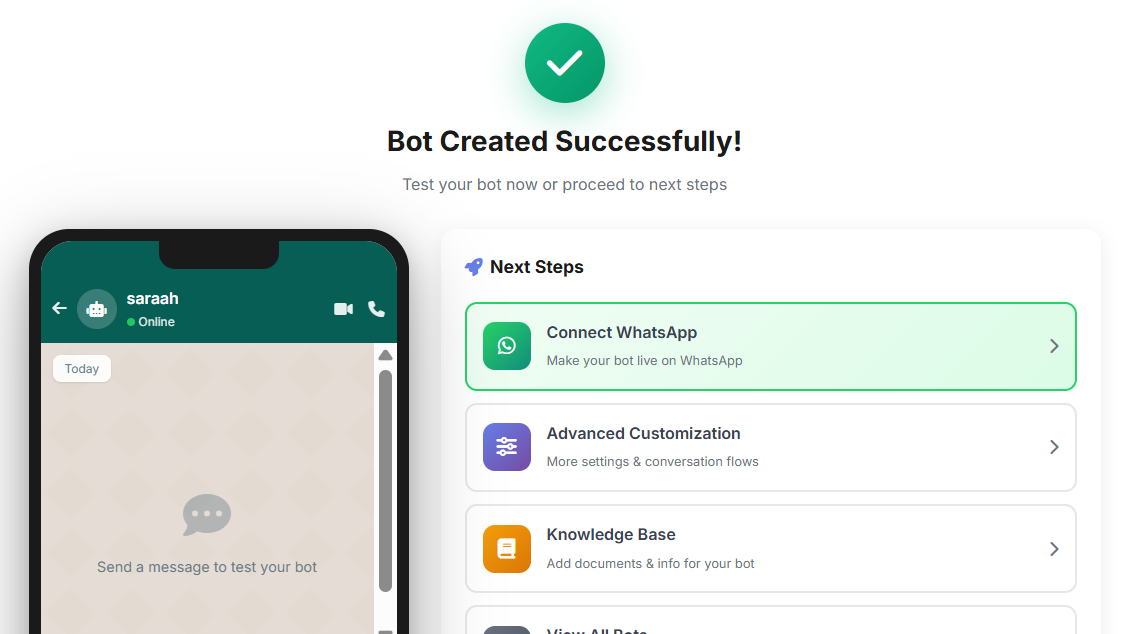
Next Steps
After creating the bot, you can:
Tips for Getting Started
Start with simple settings and develop them gradually
Test the bot yourself before making it available to customers
Review conversations regularly to improve responses
Add FAQs that your customers commonly ask
Download Guide
Download a PDF copy of this guide for later reference
Ready to create your bot?
Start now and create your smart bot in minutes